Chapter 08 · Publishing
Connect a Ghost publication
Create a custom integration in Ghost, paste the Admin API key into Serpio, and choose whether posts arrive as drafts or go live. What Serpio sends and what Ghost may change.
Updated Sep 19, 2026 · 4 min read
On this page
Ghost is the simplest native connection. There is no site to choose and no field mapping; the Ghost site URL is the destination, and the Admin API key is the only credential. Serpio sends the article as HTML and Ghost converts it into its editor format.
Before you start
- A paid Serpio plan.
- Administrator access to the Ghost site. Only administrators can create custom integrations.
- A public Ghost URL. Serpio calls the Admin API under
/ghost/api/admin/on that URL.
Create the Admin API key in Ghost
- 1
Open Integrations
In Ghost Admin, open Settings → Integrations.
- 2
Add a custom integration
Press Add custom integration, name it
Serpio, and save. Ghost shows two keys for the new integration. - 3
Copy the Admin API key
Copy the Admin API key. It has the form
id:secret: a short id, a colon, and a long hexadecimal secret. Do not copy the Content API key; it can only read published content.
Connect in Serpio
- 1
Open the Ghost card
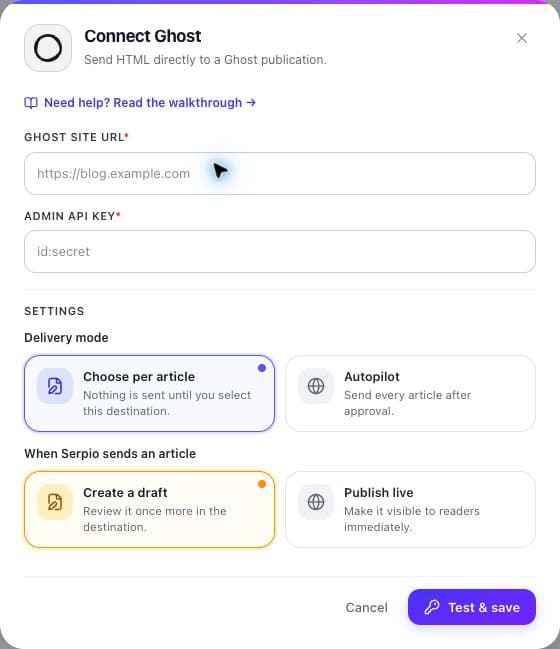
Under Connections, open Ghost and press Connect.
- 2
Fill in the form
Enter the Ghost site URL, for example
https://blog.example.com, and paste the Admin API key. - 3
Set delivery
Leave Scheduled articles on Review before sending and When Serpio sends an article on Create a draft for the first run.
- 4
Press Test & save
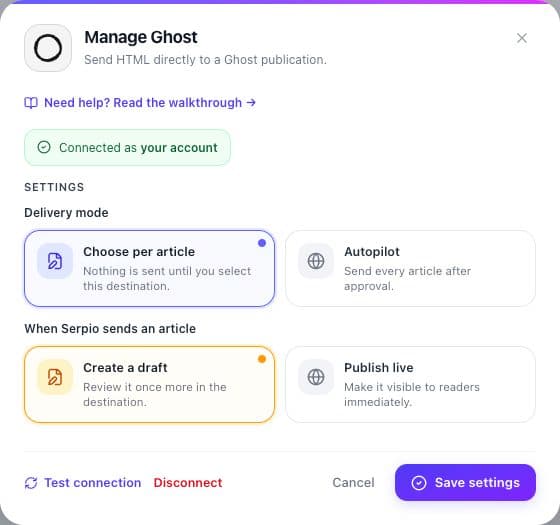
Serpio signs a short-lived token with the key and reads one post id from Ghost's protected posts endpoint. It deliberately does not use the public site endpoint, which answers even when the key is wrong. On success the card reads Connected and the dialog shows Connected as followed by the site title. Nothing is written to Ghost.
Draft or live
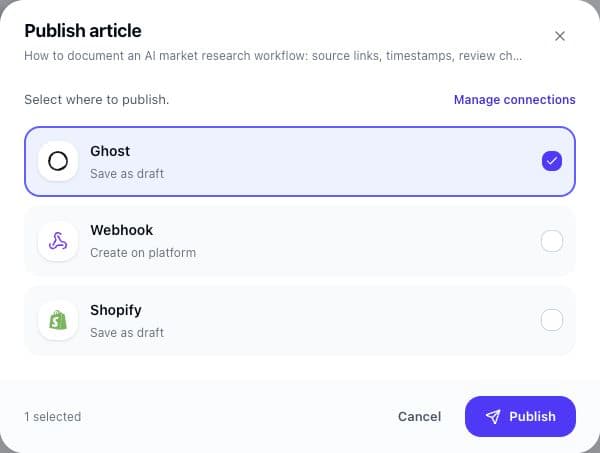
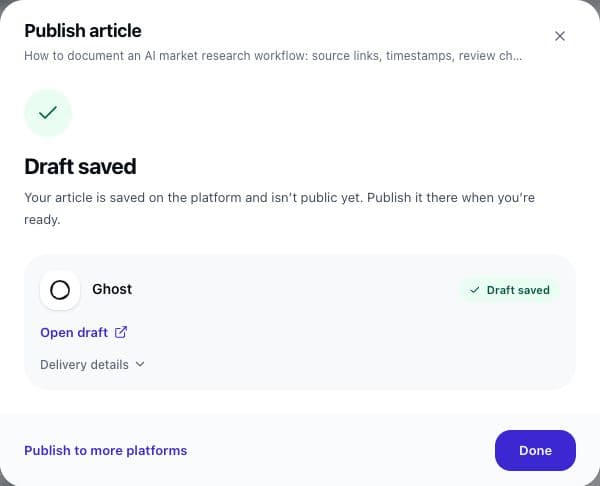
Create a draft creates the post with Ghost status draft. It appears in Ghost Admin under Posts, filtered to Drafts, and is not on your site until you publish it there. Publish live creates it with status published, visible at its Ghost URL as soon as Ghost confirms. Changing the setting only affects new deliveries; an existing Ghost draft stays a draft until you publish it in Ghost.
What Serpio creates
One Ghost post per article, sent as HTML with source=html so Ghost converts it into its editor format.
- Title, slug, body
- Sent as they are in Serpio. Ghost may append a number to the slug if it clashes with an existing post.
- Excerpt
- Serpio's summary becomes the custom excerpt. Ghost caps it at 300 characters, so longer summaries are cut before sending.
- Feature image
- The hero image URL becomes the feature image, with alt text trimmed to 125 characters.
- SEO fields
- Meta title (up to 300 characters) and meta description (up to 500) fill Ghost's SEO panel.
- Canonical URL
- Sent only when the article explicitly has one. Serpio never invents a canonical URL.
- Tags
- Article keywords become Ghost tags, up to 20.
Serpio does not set an author, a newsletter, or member visibility. Those follow your Ghost defaults for API-created posts.
Check the first draft in Ghost
Ghost converts incoming HTML to its editor format, and that conversion can be lossy for structures the editor does not support. Open the first draft in Ghost Admin and compare headings, lists, tables, links, and the feature image against the Serpio preview. Then preview it in your active theme. If anything is off, keep the connection on Create a draft and fix the post in Ghost before publishing. Use Publish live only after a few drafts have come through cleanly.
If the key is rotated or revoked
Regenerating the integration in Ghost invalidates the old key. The next delivery fails with an authorization error and the card changes to Reconnect. Open it, press Reconnect credentials, paste the new Admin API key, and press Test & reconnect. Scheduled-delivery and draft settings are kept. Test connection re-runs the same check as setup without creating a post, which is a quick way to confirm the key still works. More causes are listed in Troubleshooting connections.
Common questions
Can Serpio publish to a specific Ghost author or newsletter?
No. Serpio sends title, body, excerpt, image, SEO fields, canonical URL, and tags. Author and newsletter follow Ghost's defaults for posts created through the Admin API.
Why is my summary shorter in Ghost?
Ghost rejects custom excerpts over 300 characters. Serpio cuts longer summaries to that limit so the post is accepted.
Does the Content API key work?
No. The Content API is read-only. Use the Admin API key from the custom integration.
Related guides
How publishing works in Serpio
Approve an article, choose where it goes, and Serpio creates it there once. The two settings every connection has, the five native destinations, the plan gate, and where to see results.
Read guideHero images
How Serpio generates and checks the featured image for each article, what the statuses mean, what happens when it fails, and how each destination receives it.
Read guideTroubleshooting publishing connections
Symptom by symptom: blocked popups, rejected credentials, missing destinations, failed tests, reconnect prompts, articles you cannot find, and webhook deliveries that go nowhere.
Read guide